Track what matters
Create flexible trackers for reading, study, sport, focus, routines you want to build, or habits you want to leave behind.
 LifeTrack
Private by design
LifeTrack helps you build discipline by turning ambitious goals into small, repeatable actions. Plan flexible trackers, see your momentum, and work in focused sprints—without ads, analytics, or a developer-operated account.
No ads. No analytics. No developer-operated account.
Made for real life
Start with the next useful action, keep the plan flexible, and make progress visible over time.
Create flexible trackers for reading, study, sport, focus, routines you want to build, or habits you want to leave behind.
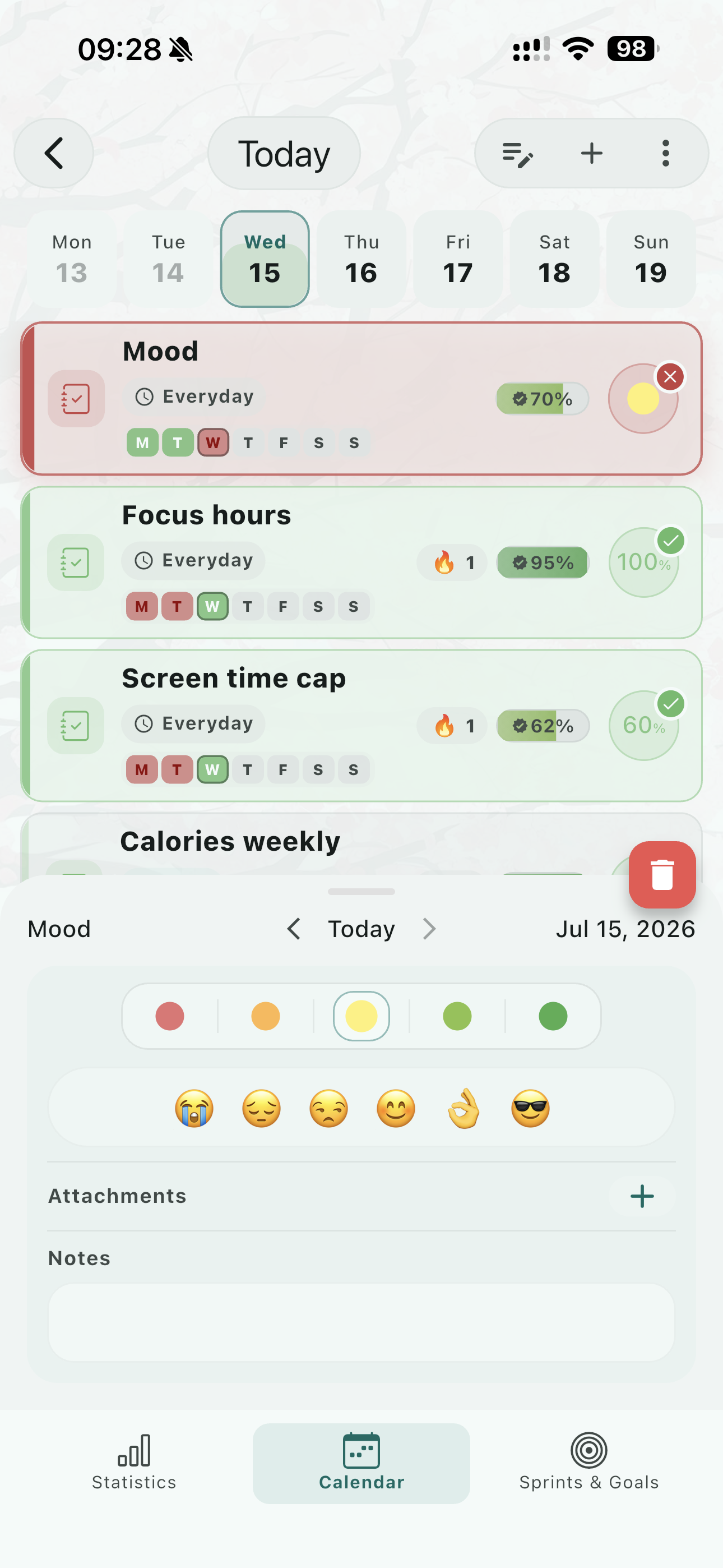
Tracker Health shows the momentum behind a habit, so one missed day does not erase the bigger picture.
Turn a long journey into a focused 1–4 week schedule and goal, then concentrate on the next achievable milestone.
Move through day and week views, see scheduled trackers together, and record progress without losing context.
Use visual statistics, completion percentages, streaks, and Tracker Health to learn what keeps you moving.
Capture mood, notes, and attachments with an entry so progress can include the context behind the number.
Official LifeTrack community
Meet people working toward their own goals, discuss current sprints, exchange ideas, ask questions, suggest improvements, and celebrate the victories that keep momentum alive.
Join r/LifeTrackAppOfficialPrivacy, clearly
LifeTrack does not use ads or analytics and does not send your habit data to Vaaley. Your data stays on your device unless you explicitly enable optional Google Drive backup.
Read the privacy policyNormal LifeTrack data is stored locally. Manual ZIP import and export happen only when you choose them.
Backup data travels directly to the hidden LifeTrack app-data folder in your own Drive account. Google authentication is used only for backup and restore.
Vaaley SIA has no backend that receives or stores backups and cannot independently view or download them.
LifeTrack requests only drive.appdata. It can access its own hidden application-data folder—not ordinary Google Drive files, folders, photos, documents, or files belonging to other applications.
FAQ
No. Vaaley SIA does not collect or receive your trackers, goals, entries, notes, attachments, or backups. Normal LifeTrack data stays on your device, and optional backups travel directly between the app and your own Google Drive account.
No. Google Drive backup is optional, and automatic backup is off by default. You can use the rest of LifeTrack without connecting a Google account.
Only the hidden LifeTrack application-data folder, using the drive.appdata permission. LifeTrack cannot read your ordinary Drive files, folders, photos, documents, or data belonging to other apps.
No. Connecting or switching an account only discovers existing backup information. Your first backup or restore requires an explicit choice. Automatic backup can run only after you enable it and establish a confirmed backup baseline.
No. Vaaley has no backend that receives or stores your backup and cannot independently view, download, restore, or inspect it.
Disconnecting stops future LifeTrack access but does not delete existing hidden backup data. To delete it, open Google Drive Settings, choose Manage apps, find LifeTrack, and select Delete hidden app data.
Join the official r/LifeTrackAppOfficial community on Reddit to ask for help, discuss goals and sprints, suggest improvements, share progress, and celebrate milestones with other LifeTrack users.
Download LifeTrack, join the community, or get in touch with a privacy or support question.